How to request the paid partnership tag on Instagram: a creator's guide

To request the Instagram paid partnership tag, add the brand as an approved business partner, then apply the paid partnership label to your post or story and tag their account. Once they accept, the label appears under your handle, and they can promote your content as a partnership ad.
That label does more than signal a collaboration. The Instagram paid partnership tag gives your brand partner visibility into the post’s insights, and the option to turn your organic content into a partnership ad, your post, running as paid media, with your name on it. For creators, that’s leverage: your content earns reach far beyond your own following, and the brand sees exactly what your audience is worth.
This guide walks through how to request the paid partnership tag on Instagram, step by step, plus what happens once a brand can promote your content.
Key takeaways
- The paid partnership label adds transparency and shares post insights with the brand you’re working with.
- It lets the brand run your post as a partnership ad, your content, amplified as paid media.
- You enable it through Advanced settings when you create a post or story, then tag the brand as your business partner.
- Hashtags, GIFs and some stickers can stop a story from being eligible to run as an ad. Keep partnership stories clean.
What is the Instagram paid partnership tag?
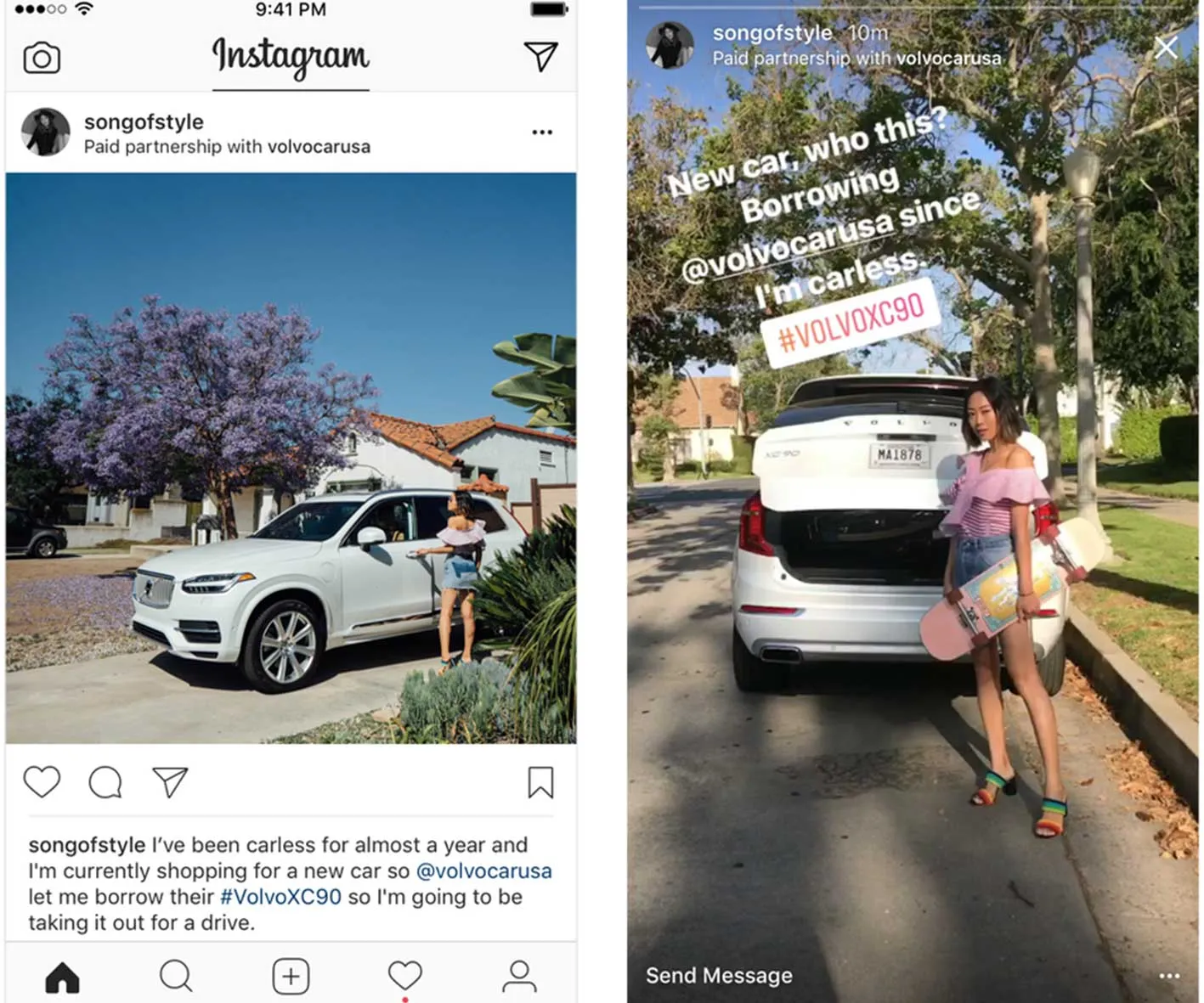
The paid partnership tag (formerly the branded content tool) is Instagram’s official way of labelling content made in collaboration with a brand. It puts “Paid partnership with [brand name]” under your handle, which keeps you compliant with advertising disclosure rules and tells your audience the relationship is honest.
Behind the scenes, it does two more things. It shares that post’s performance data with the brand, and, if you allow it, it lets them run the post as a partnership ad. The post stays yours; the brand simply puts spend behind it. To dig into why that’s worth saying yes to, read how creators benefit from branded content ads.
How to tag a brand as your business partner on Instagram
Step 1
When you’re creating a new post or story, open Advanced settings and turn on the option to add a paid partnership label. Instagram will show a short eligibility note. Read it, then continue.
Step 2
Choose Add paid partnership label, then search for the brand’s Instagram handle and select their account to tag them as your business partner.
Step 3
Publish your content as usual. Depending on the brand’s settings, approval is either automatic or manual. Once you’re accepted, “Paid partnership with [brand name]” appears under your Instagram handle on that post.
Step 4
For stories, add the paid partnership label from the sticker tray on the story editing screen, then follow the same tagging steps. One thing to watch: if your partnership story uses hashtags or GIFs, the brand may not be able to turn it into a partnership ad. Keep partnership stories clean if amplification is part of the plan.
What happens once a brand can promote your content?
Once you’ve tagged the brand as your business partner, they can run your post as a partnership ad. These look almost identical to a standard Instagram ad, with one difference that matters: the post comes directly from your account, not the brand’s. The caption still reads “Paid partnership with [brand name]”, and “Sponsored” sits above the image.
For you, that’s the upside of the whole process. Your content reaches audiences you’d never hit organically, the brand pays for the distribution, and your name stays on the work. Strong creative shared this way doesn’t just perform once. It keeps working as long as the spend runs behind it.
How we see it
The creators who earn the most from partnerships aren’t always the ones with the biggest followings. They’re the ones who make their content easy to scale. Enabling the paid partnership tag, keeping stories ad-eligible, delivering work a brand can confidently put media behind, those are the habits that turn a one-off post into ongoing, paid distribution.
At Vamp, that’s the difference we build for. We’re a tech-enabled influencer marketing agency, and we treat creator content as distribution infrastructure, not a series of disposable posts. When a brand on our roster plans to run partnership ads, you’ll know up front, it’s in the brief, so you can shoot for content that’s built to be amplified from the start.
FAQs
What is the difference between the paid partnership tag and a normal sponsored post?
A normal sponsored post is simply a post you’ve been paid to make. The paid partnership tag is Instagram’s built-in label and toolset: it formally discloses the collaboration, shares post insights with the brand, and unlocks the option for them to run your content as a partnership ad.
Do I have to let a brand turn my post into an ad?
No. Tagging a brand as your business partner gives them the ability to promote that post, but it’s a permission you control. Many creators welcome it, because partnership ads put paid distribution behind content they’ve already made.
Why isn’t my story eligible to be a partnership ad?
Usually because it includes hashtags, GIFs or certain interactive stickers. If a brand intends to amplify a partnership story, keep the creative clean so it stays eligible.
Where can I learn more about the branded content tools?
Start with what Instagram’s branded content tool is, then read how creators benefit from branded content ads and, for the brand side, how to approve creator partners.