Instagram Creator vs Business account: which is right for you?

Instagram Creator vs Business account: which is right for you?
Choose a Creator account if you are a creator, public figure, artist or influencer who lives in DMs and wants granular audience insights. Choose a Business account if you run a shop, a service or a local brand and need a physical address, food and booking CTAs, and full third-party scheduling. Both are free professional accounts with near-identical tools. The differences are small, but they map cleanly onto how you actually work.
If you collaborate with brands, the choice matters less than the move itself: switching off a Personal account is what unlocks the insights, the paid partnership label and the contact tools that make you legible to the brands and agencies booking creators.
The short version:
- Both are free, professional accounts with the same core toolkit: insights, a two-tab inbox, saved replies, the paid partnership label and shoppable posts.
- Creator is built for people: fine-grained follower growth and demographic data, creator-specific profile categories.
- Business is built for organisations: a public address, “order food” and “book/reserve” CTAs, and full third-party scheduling.
- Switching between the two keeps your data. Going back to Personal loses your historical insights.
Creator vs Business account: who is each one for?
Instagram designed two professional account types because creators and organisations work differently.
- Creator account, built for public figures, content creators, photographers, artists and influencers. If your profile is you, this is the one.
- Business account, built for retailers, local businesses, brands, organisations and service providers. If your profile represents a company or a place, start here.
Neither locks you in. The features overlap heavily, so picking the one Instagram suggests for your persona is rarely the wrong call.
What do Creator and Business accounts have in common?
Most of the toolkit is shared. Here is what you get either way.
Insights and audience data
Both account types give you performance and audience insights. You can see how content performs, impressions, reach, saves, shares, profile visits, website clicks and follows, alongside demographic data on your followers: growth over time, top locations, age range, gender split, and the days and times they are most active. You also get a rolling view of recent interactions and your overall reach and impressions for the past week.
This is the data that turns guesswork into a content strategy. It tells you who is actually paying attention, usually not the audience you assumed, and which posts earned it.
The two-tab inbox
Reach brings DMs, and volume brings chaos. Both accounts split your inbox into Primary and General.
Primary is where higher-priority messages land: people you follow, accounts you have messaged or tagged in a Story, and accounts Instagram thinks you will care about (often verified accounts or ones with mutual followers). General holds the requests and lower-priority DMs you want to deal with later. Its notifications are off by default, but you can switch them on in Settings.
Saved replies
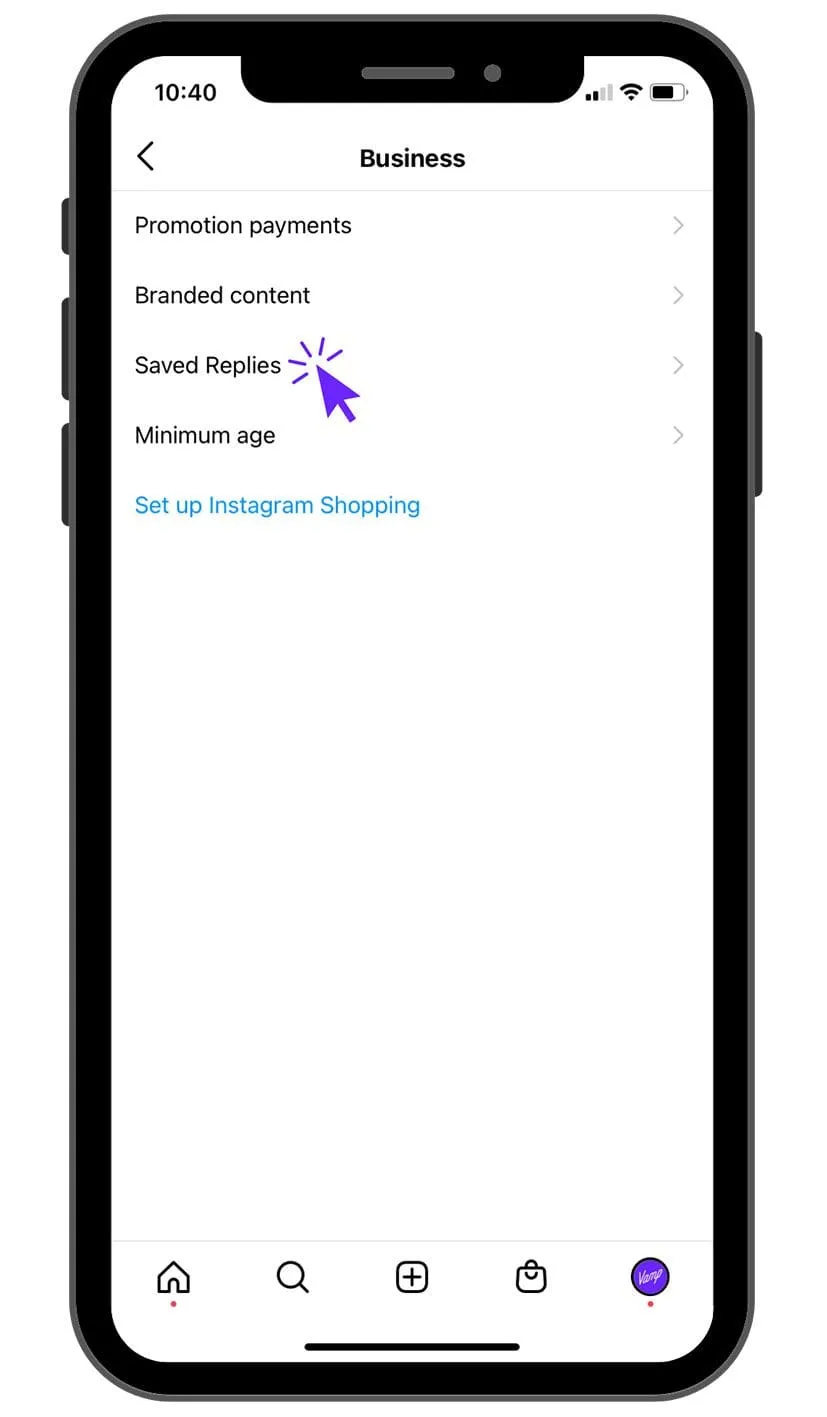
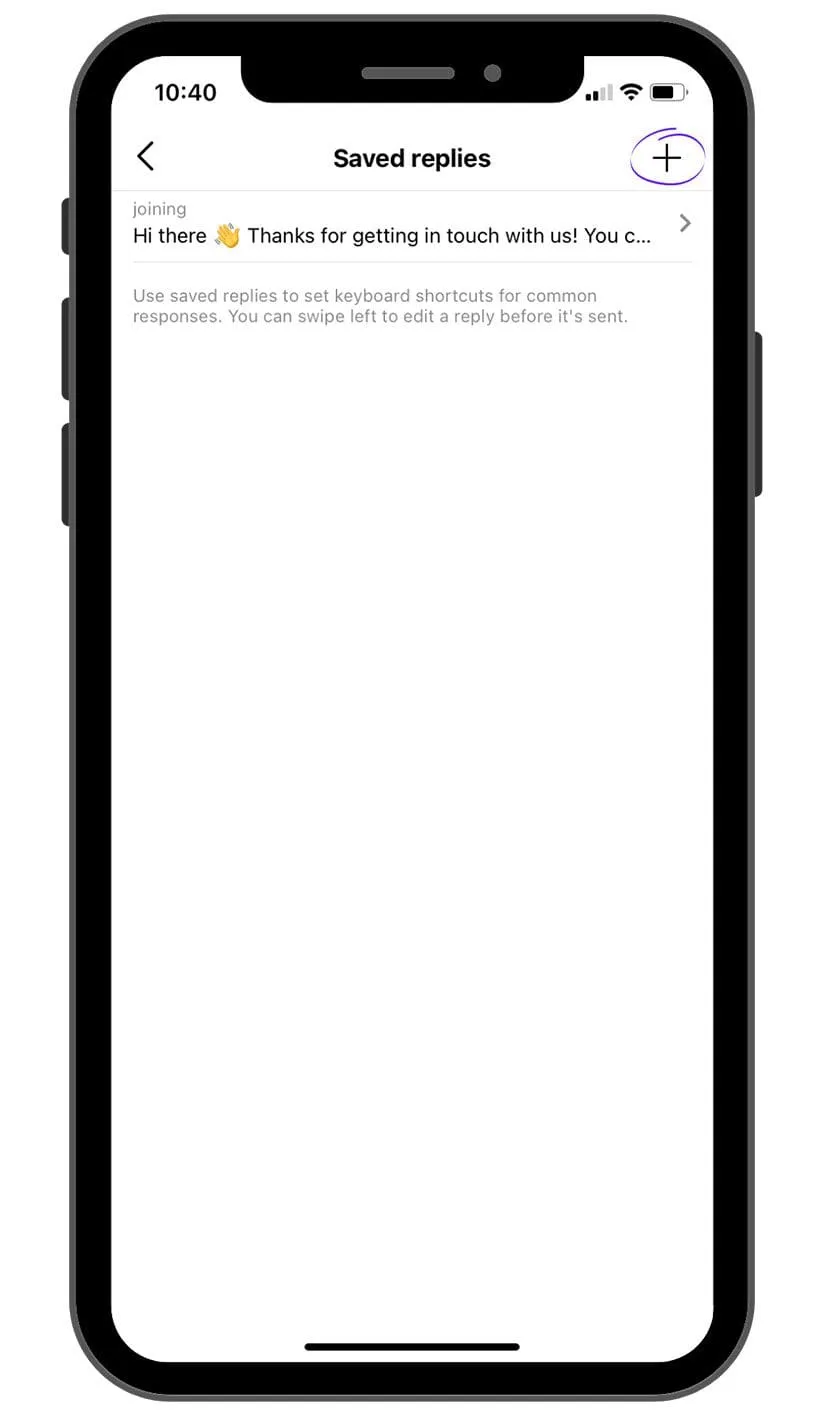
If you answer the same questions over and over, both accounts include Saved Replies. Set a shortcut word and the full message you want it to expand into; when you are replying to a DM, type the shortcut, tap the blue speech bubble, and the full message drops in ready to send. It is a small feature that buys back real time once your DMs scale.
The paid partnership label
Both accounts let you add the paid partnership label to posts and Stories. It keeps your disclosures compliant and transparent for your audience, and it lets the brand you are working with see the insights on that piece of content. If you are doing branded work, use it every time. It is now an expectation, not a nicety.
Shoppable posts
Both account types support shoppable posts, though they work differently. Business accounts can set up Instagram Shopping: add a Shop to the profile, tag products in posts and Stories, and see Shop insights. Creators can tag shoppable products from brands that have granted them access. Predominantly a business feature, but useful for creators in affiliate or brand-partner setups.
What are the differences between a Creator and Business account?
The overlap is large; the divergences are specific. These are the ones that actually decide it.
Profile categories
Because Instagram treats creators and businesses as different entities, the profile labels differ. Creator accounts offer titles like chef, gamer, writer or dancer. Business accounts offer options like advertising agency, hotel resort, bakery or footwear store. Either way, you can hide the category if you would rather not show it.
Content scheduling
Scheduling ahead keeps your posting consistent, and consistency is what compounds on Instagram. Both account types can schedule natively through Meta Business Suite (the tool that replaced the old Creator Studio), which handles feed posts, Reels and Stories from desktop and mobile.
The historical catch, that Instagram’s API limited automatic publishing from Creator accounts via third-party tools like Hootsuite, has largely eased as the Content Publishing API has matured. If you rely on a specific third-party scheduler, confirm it supports your account type before you commit your workflow to it.
Contact information
Both accounts let you add an email and phone number so collaborators and customers can reach you. The difference: Business accounts can also add a physical location, head office, café, store address, which Creator accounts cannot. Both let you hide these details and route everything through DMs instead.
Call-to-action buttons
The CTA buttons sit under your bio, above your Story Highlights, and connect people to your services without leaving the app. Business accounts can add “order food”, “book now” and “reserve”. Creator accounts get “book now” and “reserve” only. As ever, you can hide them if you prefer.
How do I switch between Creator and Business accounts?
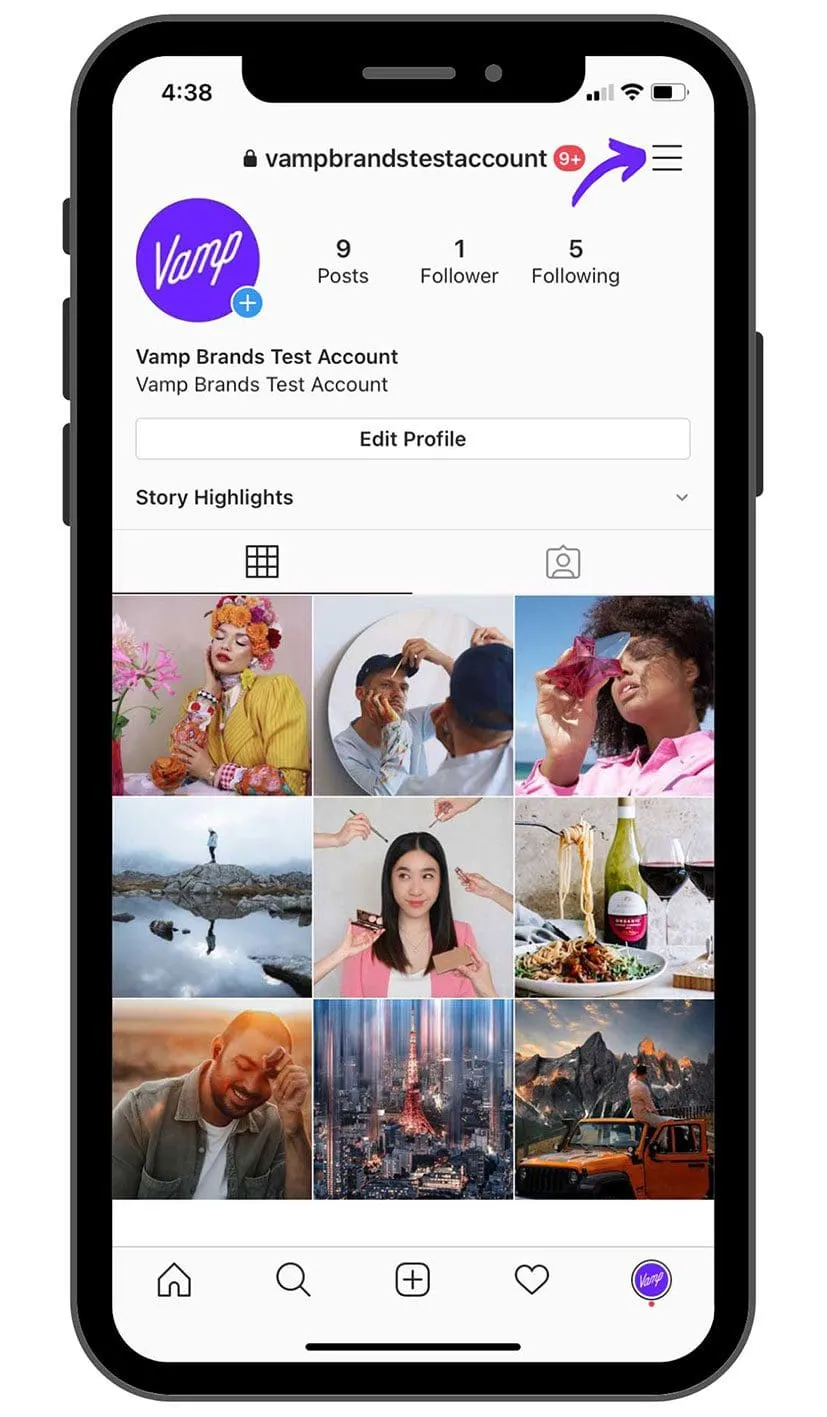
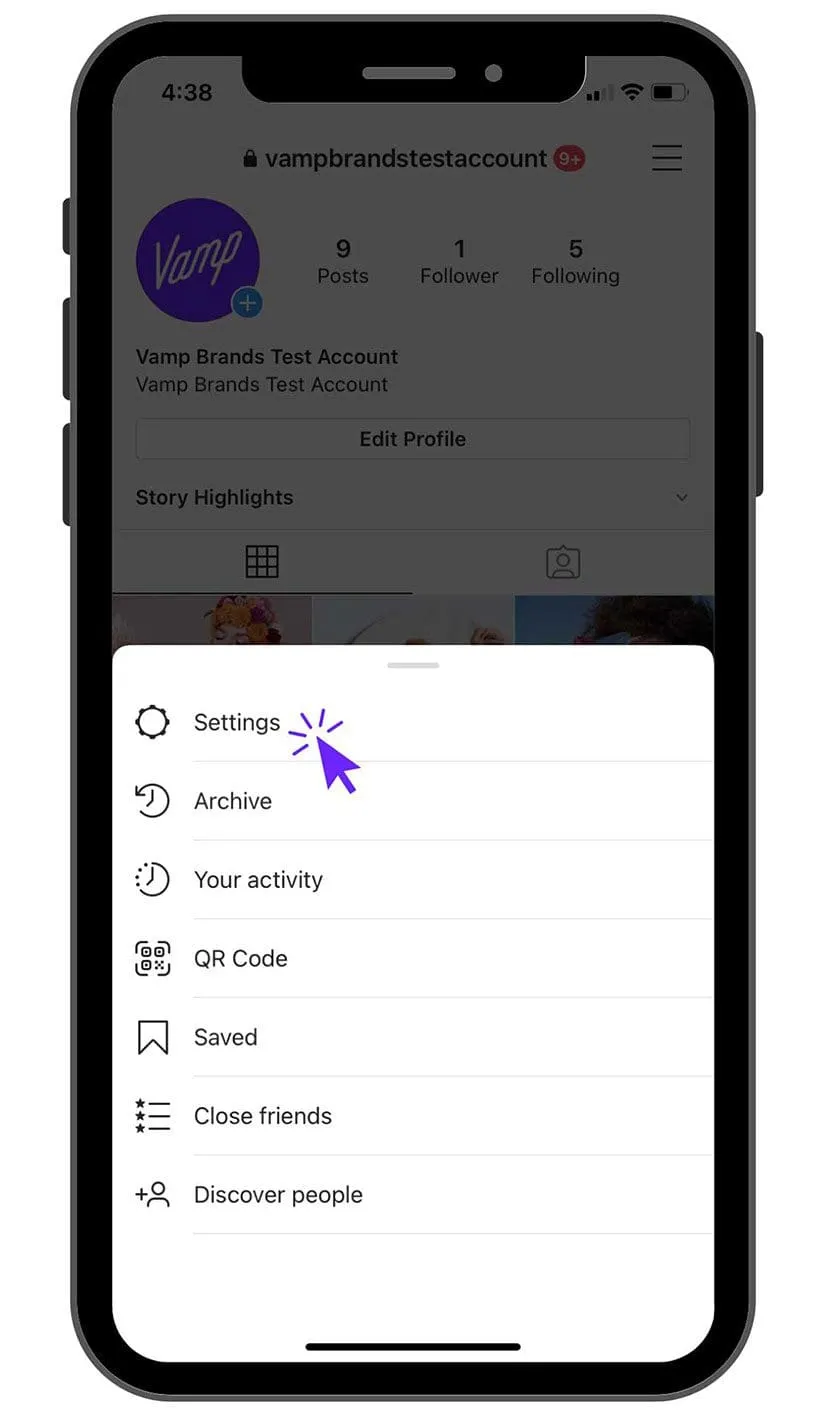
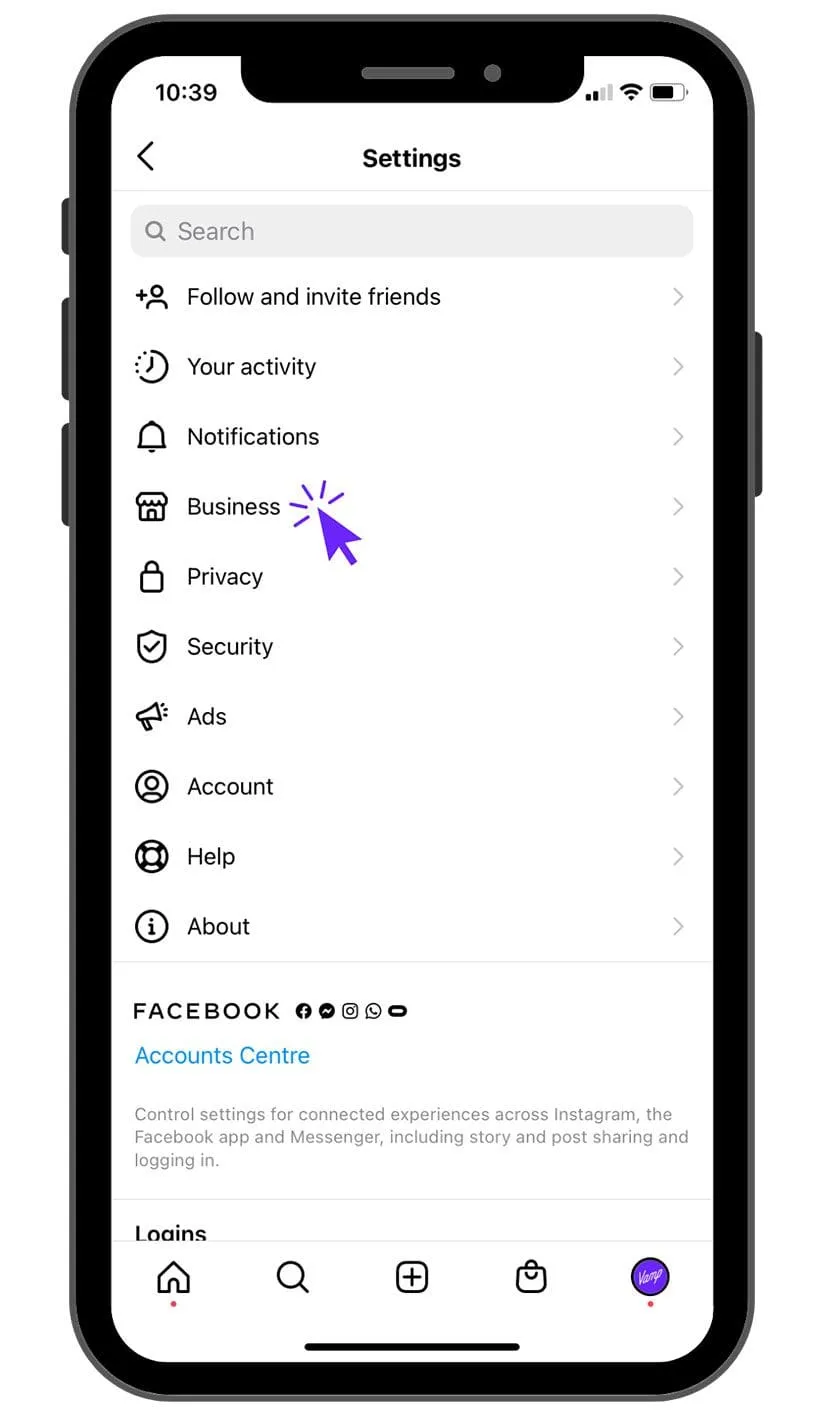
Switching is quick and keeps your data intact. Go to Settings > Account type and tools > Switch account type, then choose Business or Creator.
One warning: switching back to a Personal account wipes your historical insights. If you think you will ever want that data, stay on a professional account.
Still can’t decide?
For most people, it is genuinely hard to go wrong. The accounts share almost every meaningful feature, so default to the one Instagram recommends for your persona: Creator if your profile is a person, Business if it is an organisation with a physical place or a shop to sell from.
FAQs
Is a Creator or Business account better for influencers?
Creator. It is built for individuals, with follower-growth and demographic insights tuned to how creators work, plus creator-specific profile categories. Business accounts make more sense once you are selling products or representing a physical place.
Will I lose data if I switch account types?
No. Switching between Creator and Business keeps your insights and history. You only lose your historical insight data if you switch back to a Personal account.
Do both accounts let me run paid partnerships?
Yes. Both support the paid partnership label on posts and Stories, so you can disclose collaborations transparently and share post insights with the brand you are working with.
Which account can schedule posts in advance?
Both can schedule natively through Meta Business Suite. Some third-party schedulers still treat Creator and Business accounts differently, so check compatibility before building your workflow around one.
The account is the easy part. Being bookable is the harder one.
Picking Creator or Business takes five minutes. The harder, more valuable work is turning a professional profile into one brands and agencies actually choose to work with: consistent content, clean insights, disclosed partnerships, and a clear sense of the audience you reach.
That is the layer we think about constantly at Vamp. We are a tech-enabled influencer marketing agency that designs creator-led growth systems for brands, which means we read creator profiles for a living. Set yours up so the data tells a sharp story, and the right collaborations get a lot easier to land.