How to remove the TikTok watermark on desktop, iPhone and Android


To remove the TikTok watermark, save the video through TikTok's own "Save video" option (which now exports without the logo on many clips) or run the link through a clean-export tool like SnapTik before you repost it.
A clean file matters because the platforms reward it. Instagram has long deprioritised Reels that carry a visible TikTok watermark, and it treats recycled, low-quality or heavily-bordered video the same way. If you’re repurposing a TikTok for Reels or YouTube Shorts, the watermark is the single most obvious “this came from somewhere else” signal, and the algorithm notices.
So before you cross-post the video you spent hours making, strip the logo. Below are four reliable ways to remove the TikTok watermark on desktop, iPhone and Android.
Key takeaways
- The cleanest source is a clean export: a watermark-free file reposts better across Reels and Shorts.
- Desktop: paste the video link into SnapTik and download.
- iPhone: SaveTok, or the built-in “Save as video” trick, both work.
- Android: MusicallyDown does the same job as SaveTok.
- Removing the watermark is the easy part. Re-cutting the video for each platform is what actually makes it perform.
Follow Vamp on TikTok

Why does the TikTok watermark matter?
The watermark is a moving logo and username that TikTok stamps onto downloaded videos. It’s fine inside TikTok. It’s a liability everywhere else.
When you repost a watermarked clip to Instagram Reels or YouTube Shorts, you’re telling that platform, and its ranking system, that the content is second-hand. Instagram has been explicit that Reels which are blurry, text-covered, bordered or visibly watermarked won’t be surfaced as often. The point isn’t to trick anyone; it’s to give each platform a clean, native-feeling file it’s willing to push.
So the goal of removing the watermark isn’t a hack for its own sake. It’s making sure work you’ve already done gets the distribution it deserves.
How to remove the TikTok watermark: four methods
Method 1: Use SnapTik on desktop
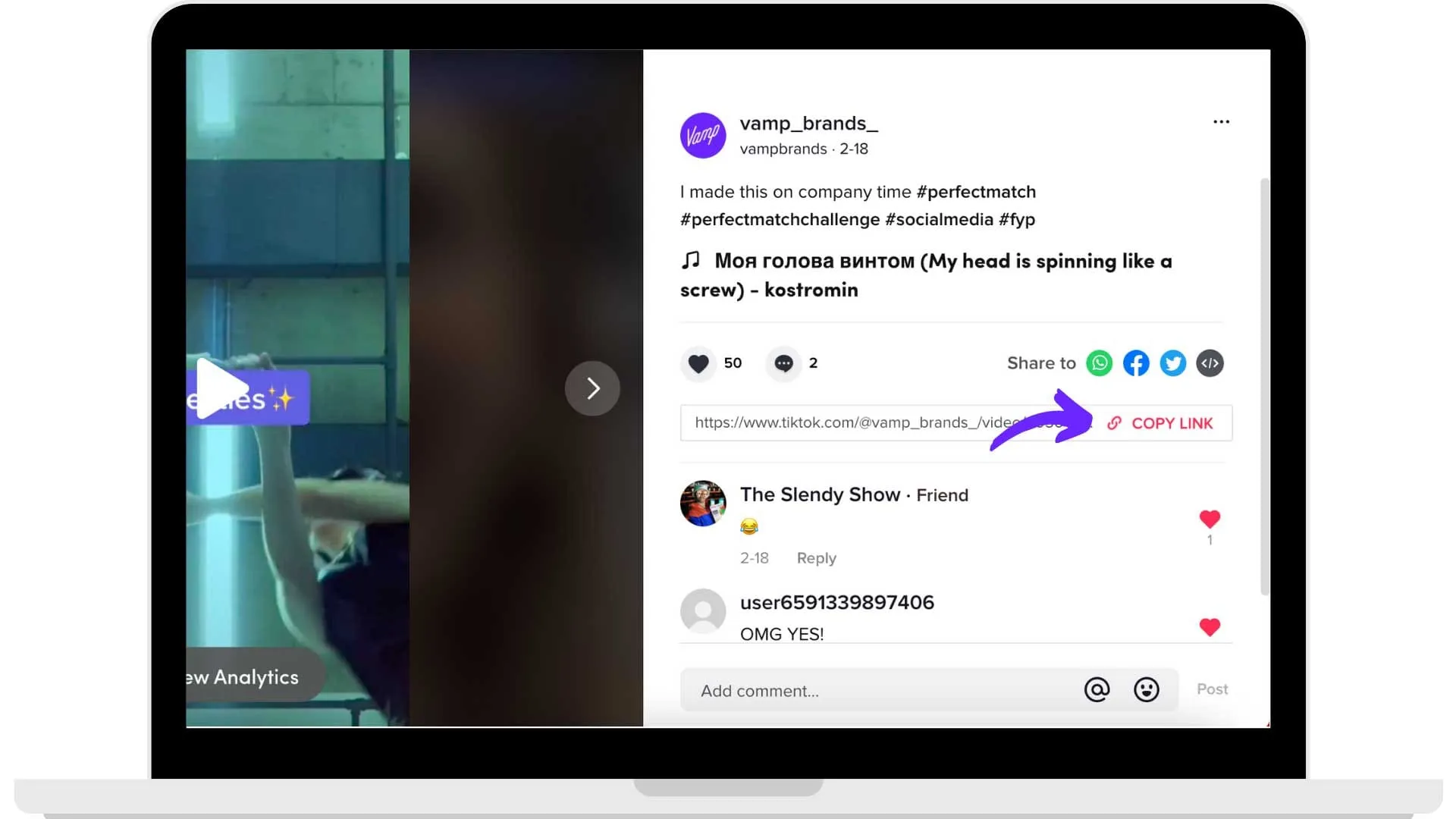
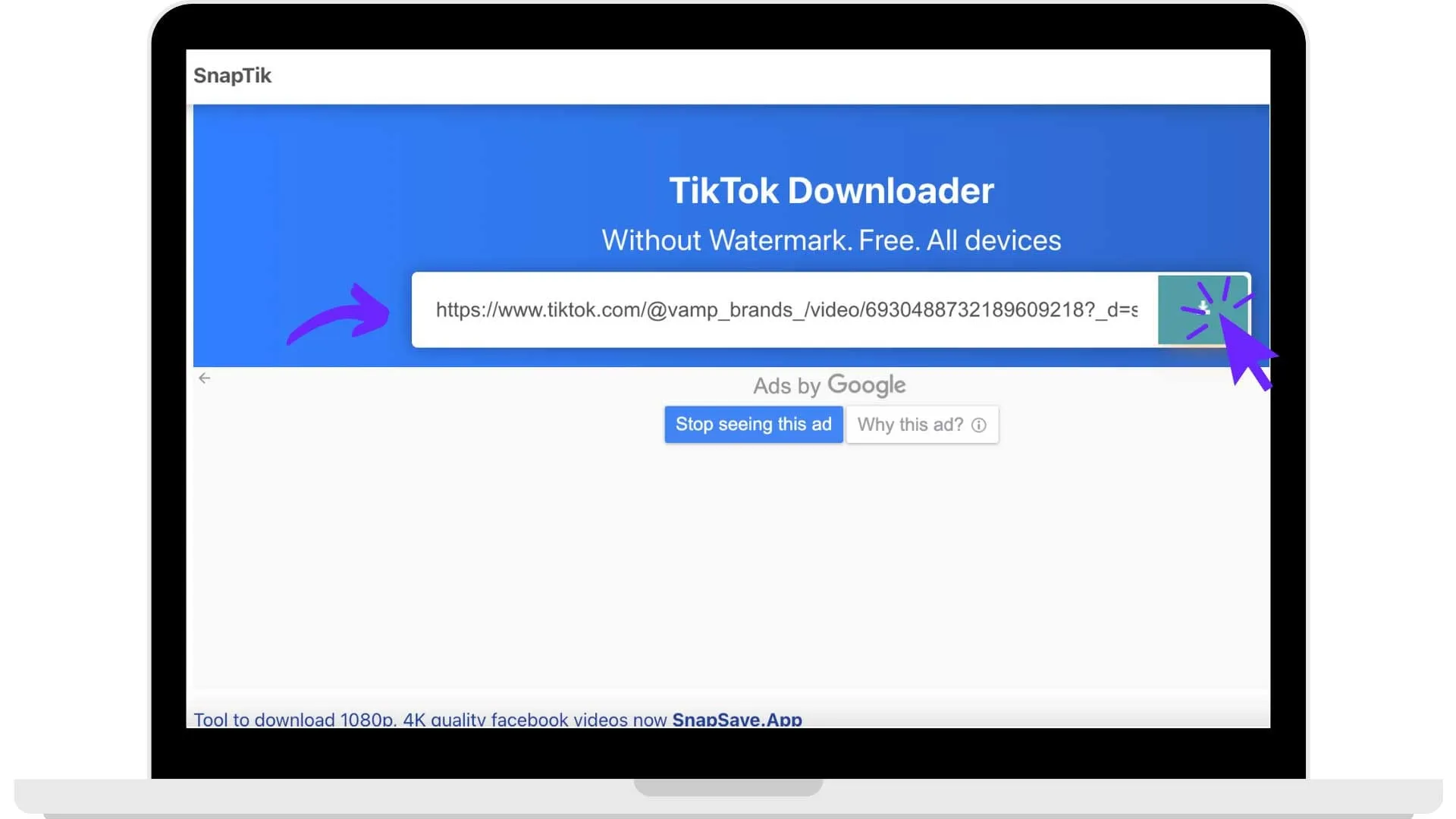
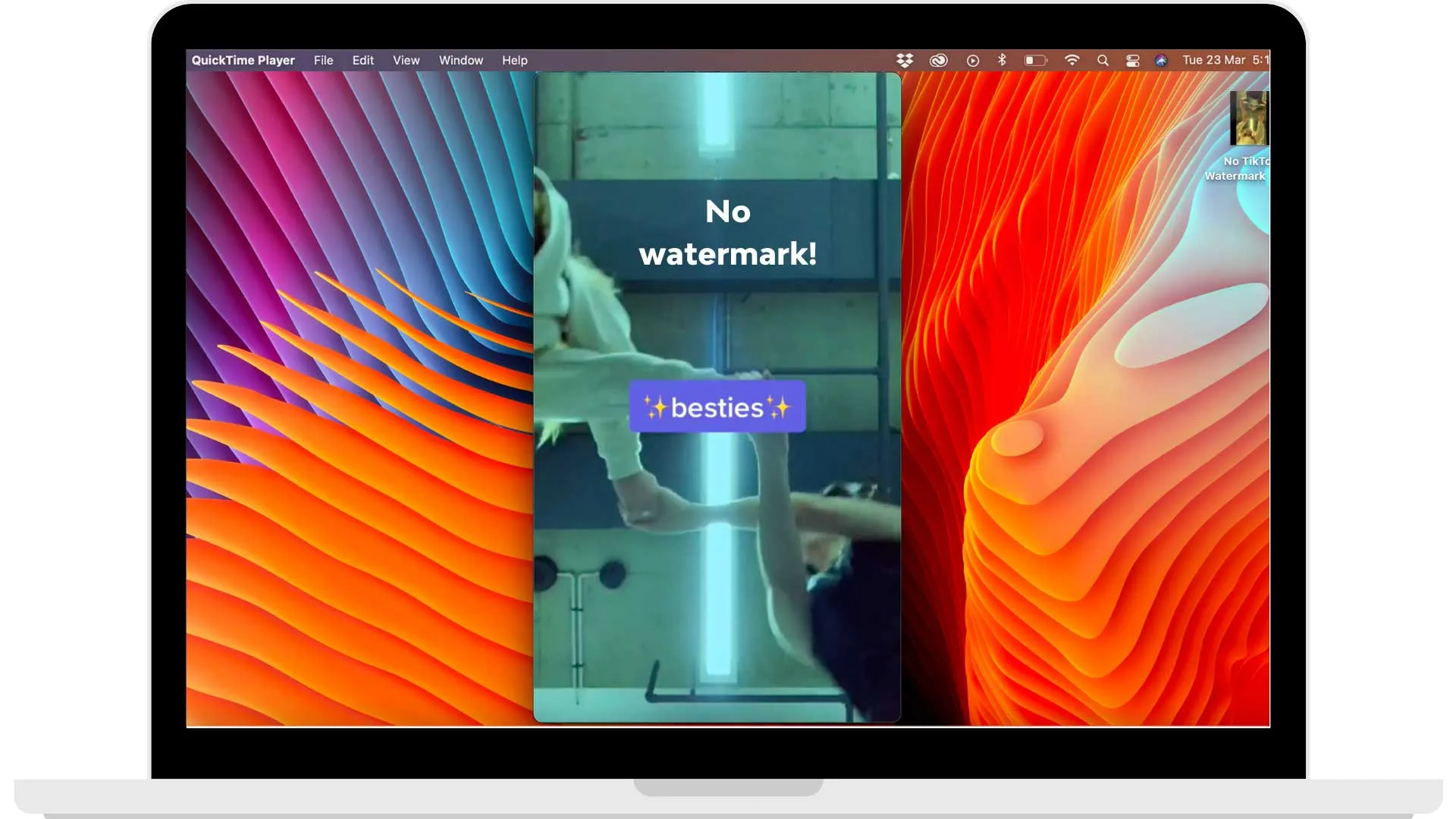
If you do most of your editing on a laptop or desktop, this is the quickest route.
- Open TikTok in your browser and go to the video you want to repurpose.
- Copy the video’s link (the share menu, then “Copy link”).
- Go to snaptik.app, paste the link into the box and click the green Download button.
- Click Download Server 01. The video saves to your computer without the TikTok watermark.
- To move it to your phone, AirDrop it (Apple), drop it in a shared cloud folder, or email it to yourself.
Method 2: Use SaveTok on iPhone

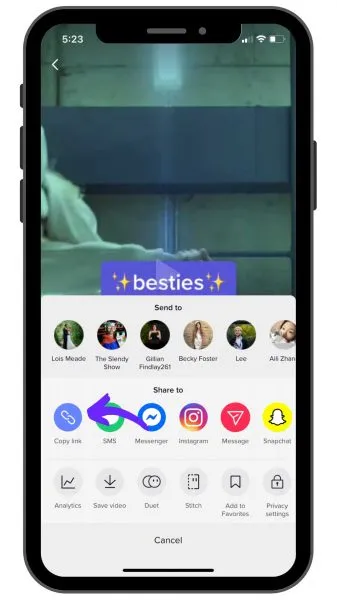
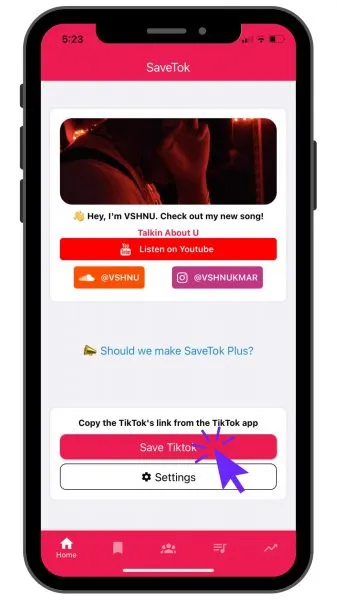
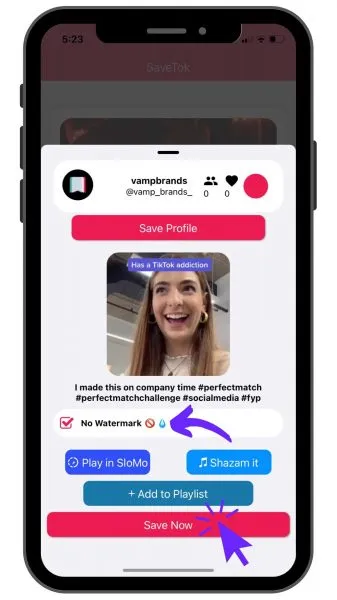
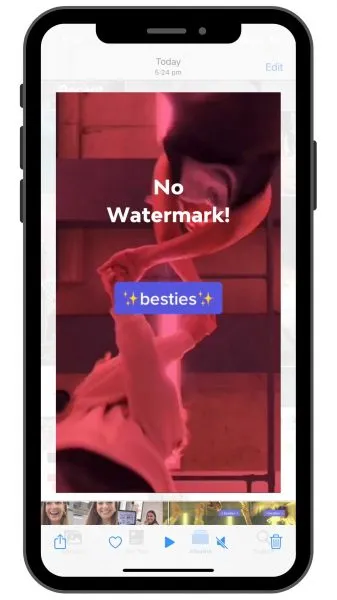
If you’d rather save straight to your phone, SaveTok keeps everything mobile.
- Download SaveTok from the App Store.
- In TikTok, open the video and copy its link.
- Open SaveTok and tap Save TikTok. The link pastes in automatically.
- Make sure No Watermark is ticked, then tap Save Now.
- Once it processes, the clean video lands in your Photos, ready to repost.
Method 3: Save the TikTok as a video on iPhone (no app needed)
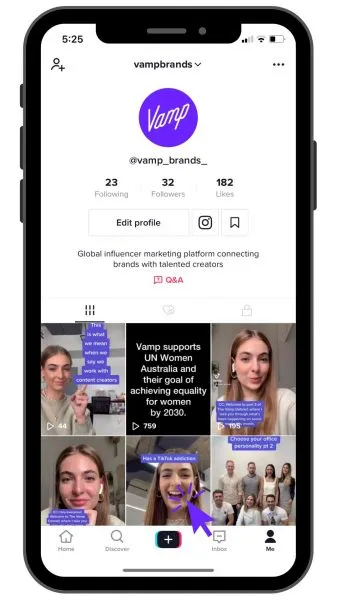
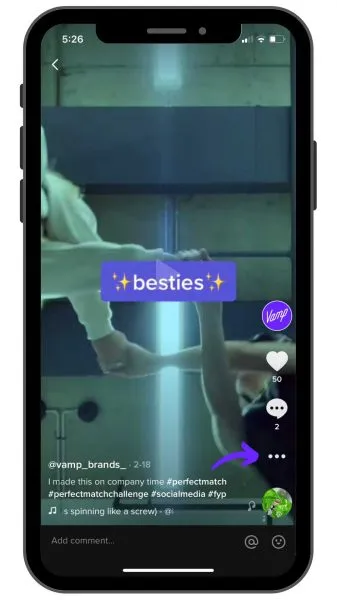
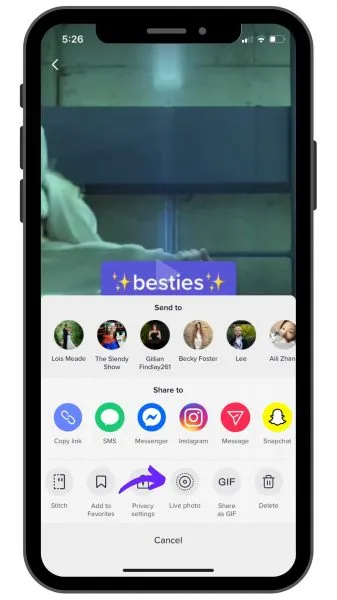
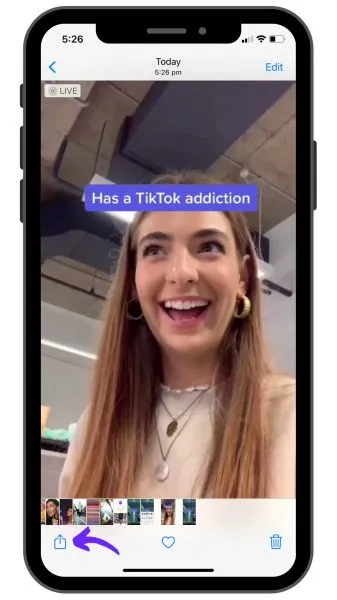
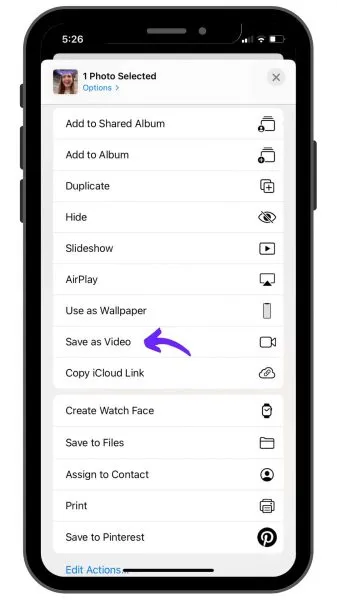
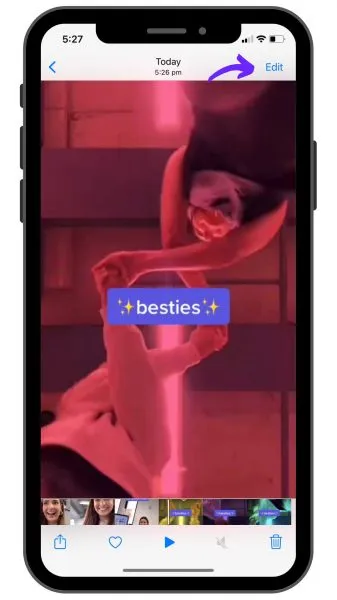
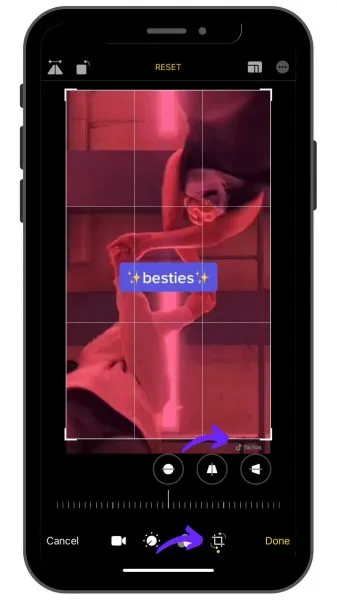
Don’t want another app? You can do most of this inside TikTok and Photos.
- Open the video on your TikTok profile.
- Tap the share arrow. If Save video exports without the logo, you’re done. If it leaves a small corner watermark, carry on.
- To clear a leftover corner watermark, open the saved clip in Photos, tap Edit, then the Crop icon, and trim a small slice off the bottom or corner so the logo sits outside the frame.
This costs you a few pixels of frame, but for most vertical video that crop is invisible to viewers.
Method 4: Use MusicallyDown on Android
For Android, MusicallyDown works almost exactly like SaveTok.
- Open MusicallyDown in your browser (or download the app where available).
- In TikTok, open the video and copy its link.
- Paste the link into MusicallyDown and tap Download.
- Choose the No Watermark option.
- Once it processes, the clean video saves to your phone, ready to repost.
Removing the watermark is step one, not the finish line
A clean file gets you past the algorithm’s “recycled content” filter. It doesn’t make the video native to its new home.
The creators who win on cross-posting don’t just strip the logo and re-upload. They re-cut for the platform: a tighter hook for Reels, a different on-screen caption for Shorts, a thumbnail frame that earns the tap. Same raw footage, deliberately re-staged for where it’s going. That’s the difference between content that travels and content that simply gets re-shared.
So treat the watermark as table stakes. The leverage is in adapting one idea into several platform-native pieces, which is exactly how a single shoot turns into a week of distribution.
How we see it
At Vamp, we think about this at the system level. A single creator video isn’t one asset. It’s the source for many, each cut and placed for the platform that will carry it furthest. Influence isn’t something you run once and recycle; it’s something you engineer to compound across channels. Removing a watermark is a small, useful tactic inside that much bigger discipline of getting creator content to perform everywhere it lands.
FAQs
Is it legal to remove the TikTok watermark from your own videos?
Removing the watermark from content you created and own is standard practice for cross-posting. Don’t download and reupload other creators’ videos. That’s their work, and platforms penalise it.
Will Instagram still detect a TikTok even without the watermark?
A clean file clears the most obvious signal, but Instagram favours native-feeling content overall. The best results come from re-cutting the video for Reels rather than uploading an identical copy.
Does TikTok let you save videos without a watermark directly?
Sometimes. TikTok’s own “Save video” option now exports without the logo on many clips, so try that first. If a watermark remains, use one of the tools above or the crop method.
What’s the cleanest way to repurpose a TikTok for Reels?
Save a watermark-free version, then re-edit it for the platform: a fresh hook, captions sized for Reels, and a strong opening frame. Our breakdown of the similarities and differences between Reels and TikTok shows where the two formats actually diverge, so you can tailor each repost rather than copy it across.