How to organise your Instagram Story highlights


To organise your Instagram Story highlights, group your saved Stories into themed reels on your profile, give each a clear name and an on-brand cover, and order them so the most useful sits first.
Done that way, your highlights stop being a leftover archive and start working like a permanent index to your account, the first thing a new visitor reads when they’re deciding whether to follow.
Stories expire after 24 hours. Highlights don’t. They’re the only part of Stories that lives on your profile until you remove it, which makes them prime real estate: a curated, scannable reel that shows a new visitor exactly what your account is about.
The short version:
- Highlights are permanent, profile-level reels built from your saved Stories.
- Organise them by theme, whether destinations, topics, Q&As or your best work, not by date.
- Name each one clearly and give it a consistent, on-brand cover.
- Put the highlight that earns the follow first; the rest can rediscover your back catalogue.
Why should you create Instagram Story highlights?
Beyond extending the life of your content, highlights give a new visitor a fast way to understand your account and navigate it on their own terms.
A travel creator can sort highlights by destination, turning past adventures into a browsable map. A parenting account can edit Stories into helpful topics. If you’ve spent hours answering followers in an “ask me anything” box, a Q&A highlight keeps that work visible instead of letting it expire.
However you group them, choosing the very best of your past Stories means new visitors land on a reel that makes following an easy decision. For people already following you, it’s a back catalogue worth rediscovering.
How we see it: highlights are the most under-used surface on a creator profile. Treat them as a system, not a scrapbook, a structured introduction that does the same job every time someone new arrives, and they compound. The strongest creator accounts we partner with at Vamp are organised, not just active.
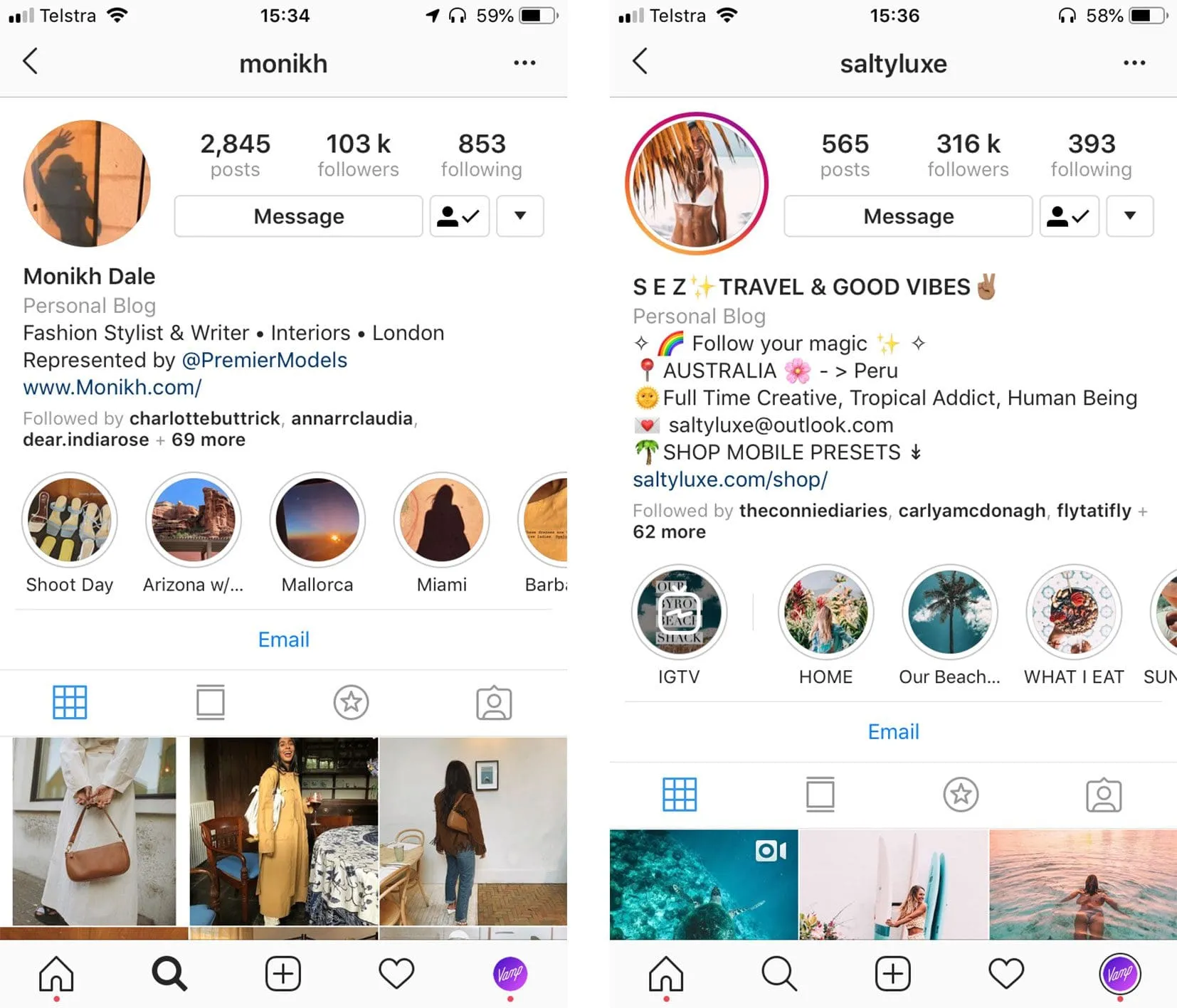
How do you make an Instagram Story highlight, step by step?
Here’s the setup, start to finish:
- Go to your profile and tap Story highlights below your username and bio. Instagram may have suggested a few for you already.
- Tap the + to see the Stories you’ve posted over the years (anything saved to your archive is fair game).
- Select the Story or Stories you want to group into one reel, then tap Next.
- Choose a cover photo, enter a name for the highlight, then tap Add (iPhone) or Done (Android).
To add more later, open the highlight, tap More, then Edit highlight. Select Archive and choose any additional Stories you want in that reel.
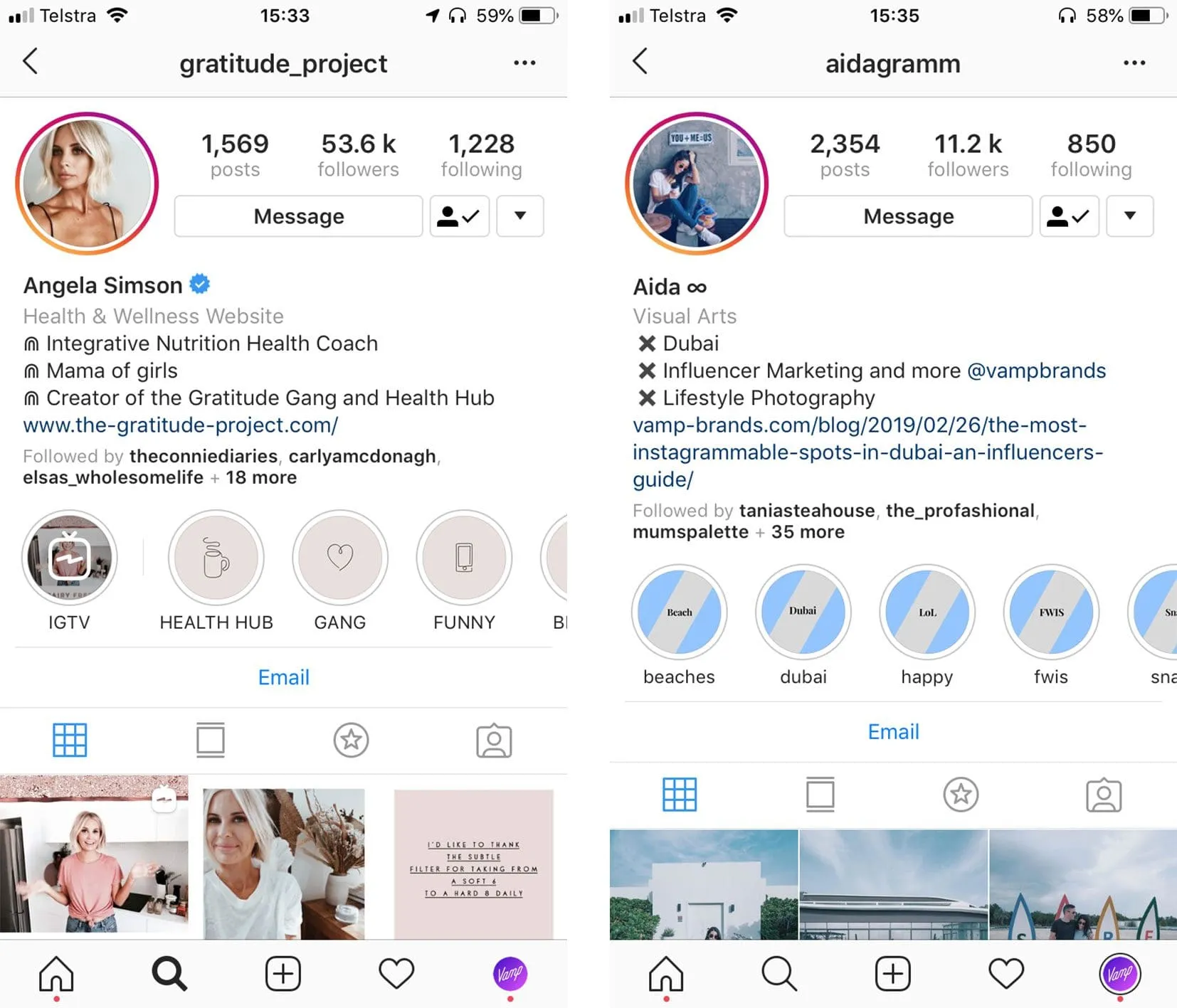
How do you make Instagram highlights look professional?
The mechanics are easy. The polish is what sets a considered profile apart.
For a consistent look, design your own on-brand icons as cover images, using colours and imagery that match your Instagram aesthetic. A free tool like Canva handles this well. Post each design as a Story first, then set it as the cover when you create or edit the highlight.
A few choices that separate a tidy profile from a default one:
- Pick one cover style and hold it. Matching icons or a single colour palette across every highlight reads as deliberate.
- Lead with intent. Order your reels so the one that earns a follow, your best work, your most-asked questions, sits first.
- Name for clarity. Short, obvious labels beat clever ones. Emojis work in names, or on their own, if they fit your style.
- Prune regularly. A highlight that’s no longer relevant is clutter. Remove it.
FAQs
Do Instagram Story highlights expire?
No. Stories disappear from your profile after 24 hours, but anything you save to a highlight stays on your profile until you delete it.
How many highlights should you have?
Enough to cover your main themes without overwhelming a new visitor. Most creators land between four and eight. Each one should answer a clear question someone might have about your account.
Can you change a highlight cover after creating it?
Yes. Open the highlight, tap More, then Edit highlight, and choose a new cover from your archive, which is why designing custom covers in advance is worth the effort.
Highlights are small. The structure behind them isn’t.
Curating your highlights is a quick win. Building an account that consistently turns attention into a following, and a following into work, is the harder, more valuable problem.
That’s the discipline behind the creators Vamp works with. We’re a tech-enabled influencer marketing agency, and we treat creator profiles as systems: organised, intentional, built to perform every time someone new arrives. Get the small surfaces right, and the compounding takes care of itself.